 onlinegames.com.es

Popular Games
Last Played


Color Saw 3D
2 plays



































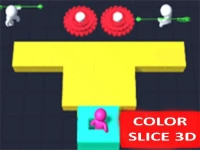







Color Saw 3D
Get ready to experience the fun and excitement of Hypercasual Games with Color Saw 3D! This engaging game is perfect for kids and adults alike, offering a unique blend of colors and smooth animations. Players will love the endless possibilities of cutting and shaping blocks to match different shapes. Color Saw 3D is a great choice for kids, mobile gamers, and anyone looking for a cute and easy-to-play game.
How To Play Color Saw 3D
To play, simply use your mouse or finger to guide the saw and make precise cuts to shape blocks. The game is easy to pick up and play, making it suitable for kids and casual gamers.
Controls and Features
The game uses click or tap controls to guide the saw across blocks, aiming to shape them into a target form. With its bright colors and smooth animations, Color Saw 3D is a visually stunning game that will keep you engaged for hours. The game is built with WebGL technology, making it a great choice for those who want to play html5 games on their website.
Tips
To succeed in Color Saw 3D, it's essential to move slowly and make precise cuts. This will help you avoid missing any cuts and ensure that you achieve the desired shape.
FAQ
What controls are used in Color Saw 3D?
The game uses mouse or touch controls to guide the saw and make precise cuts.
What is the main objective of Color Saw 3D?
The main objective is to cut blocks into a specific shape by making precise cuts with the saw.
Does Color Saw 3D have a timer?
No, the game does not have a timer, allowing players to play at their own pace.
What is the main mechanic of Color Saw 3D?
The main mechanic is cutting shapes with a saw to match different shapes and colors.
About this game
- Supported devices
- Desktop
- Genre
- Hypercasual Games
- Release date
- 24 October 2024
- Latest update
- 24 October 2024
- Rating
- No ratings yet