 onlinegames.com.es

Popular Games
Last Played


Huggy Wuggy in Minecraft
4 plays


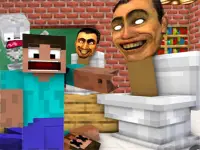












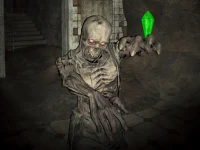
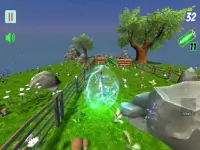
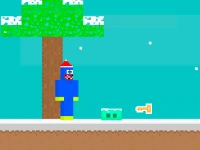



Huggy Wuggy in Minecraft
Get ready to dive into the thrilling world of 1 Player action games with Huggy Wuggy in Minecraft, a game that will keep you on the edge of your seat. This addictive game involves surviving mob attacks, and the key to success lies in clicking or moving at the right moment. With its simple yet challenging gameplay, you'll be hooked from the start.
How To Play Huggy Wuggy in Minecraft
Click attack or move to encounter mobs, aiming for clean timing to survive and advance through the game. The game's controls are straightforward, with the left mouse button for attack and the right mouse button for movement or defense. Use the WASD keys for navigation, and take advantage of the timer and hints to help you progress.
Controls and Features
The game features a range of controls and features that make it easy to play and challenging to master. Press the left mouse button to attack and the right mouse button to move or defend, and use the WASD keys for navigation. With modes, levels, and difficulty settings, you'll have plenty of opportunities to test your skills and improve your gameplay.
Tips
Use slow movement to dodge obstacles and hold attack buttons or move to dodge and attack at the right moment to defeat mobs. With practice and patience, you'll develop the skills you need to succeed in Huggy Wuggy in Minecraft.
FAQ
What are the controls?
Left mouse button to attack, right mouse button to move or defend, and WASD keys for navigation.
What is the objective?
Defeat mobs and advance through levels.
What features are included?
Timer, hints, modes, levels, and difficulty settings.
What is the main mechanic?
Clicking attack or moving to encounter and defeat mobs.
Get Ready for Action with Huggy Wuggy in Minecraft
Experience the thrill of surviving mob attacks in Huggy Wuggy Doll action games, where timing is everything. This addictive gameplay will keep you on the edge of your seat, requiring you to click or move at the perfect moment to succeed. With its simple yet challenging gameplay, you'll be hooked from the start.
About this game
- Supported devices
- Desktop
- Genre
- Arcade Games
- Release date
- 18 March 2024
- Latest update
- 18 March 2024
- Rating
- No ratings yet