 onlinegames.com.es

Popular Games
Last Played


Poppy Strike 6
0 plays





































 3d Games Online Multiplayer
 3d Juego
 Ad Free Gamesonline Fractions
 Ad Free Gamesonline Shooting Games
 Crazy Games Gun Games
 CSGO
CSGO
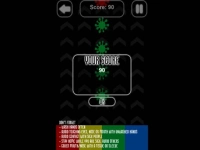
Poppy Strike 6
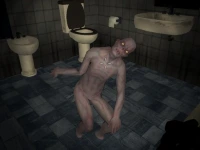
Get ready for a thrilling experience in Poppy Strike 6, a fast-paced first-person shooter that drops you into a maze-like office complex filled with terrifying blue monsters. This action-packed game challenges you to survive increasingly dangerous enemy attacks and earn money to buy powerful weapons.
How To Play Poppy Strike 6
Use the WASD keys to move and your mouse to aim. Click to shoot and press F to go full screen. Explore the dark corridors, gather resources, and upgrade your arsenal to take on the hordes of monsters.
Controls and Features
As a Shooting Games enthusiast, you'll love the intense action in Poppy Strike 6. With its First Person Shooter gameplay, you'll be fully immersed in the chaos. The game also features a range of 3D game modes, including online multiplayer.
Tips
Here are some helpful tips for surviving longer in Poppy Strike 6: always keep an eye on your health, conserve ammo, and use your environment to your advantage.
What are the controls for Poppy Strike 6?
The game uses WASD keys for movement and the mouse for aiming. Click to shoot and press F to go full screen.
How do I earn money in Poppy Strike 6?
Earn money by surviving waves of monsters and collecting resources in the dark corridors. You can then use this money to buy powerful weapons to take on the increasingly difficult enemies.
What kind of monsters can I expect in Poppy Strike 6?
The game features terrifying blue monsters that spawn in waves, each with their own unique abilities and attack patterns.
Can I play Poppy Strike 6 online?
Yes, Poppy Strike 6 features online multiplayer, allowing you to compete with other players in a range of game modes.
About this game
- Supported devices
- Desktop
- Genre
- Shooting Games
- Release date
- 21 July 2026
- Latest update
- 21 July 2026
- Rating
- No ratings yet