

Popular Games
Last Played


Slime Simulator
1 plays












































Slime Simulator
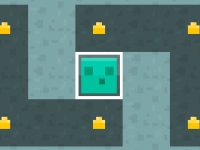
Slime Simulator lets you mix and decorate slimes right in your browser. The game has a satisfying visual style, though the controls can feel awkward at times. It is a single-player creative experience where you craft unique slimes by combining ingredients and adjusting colors. The experience is straightforward and friendly, inviting you to experiment at your own pace and save or share your creations.
How To Play Slime Simulator
Pick a slime type, then use the available tools to mix ingredients, tweak colors, and add decorations. You can save your finished slime or share it with friends. The process encourages experimentation, so try different combinations to discover what looks and feels best.
Controls and Features
Use your mouse to click and drag ingredients, switch tools with buttons, and adjust colors and textures using sliders. The single-player experience focuses on creative customization. You can explore textures, mix colors, and build your own style without timers or pressure.
Tips
Experiment slowly with textures and decorations. Use the controls to mix ingredients and tweak colors, and take your time to create unique slimes that stand out.
FAQ
How do you control Slime Simulator?
Use your mouse to click and drag ingredients, buttons to switch tools, and sliders to adjust colors and textures for precise customization.
What is the main goal in Slime Simulator?
The goal is to combine ingredients and decorate slimes, then save or share your creation with others.
Does Slime Simulator have timers or hints?
There is no mention of timers or hints, so you can enjoy the game at your own pace.
What makes the gameplay feel satisfying?
The game has a satisfying visual style and creative customization, though the controls can feel awkward sometimes.
Get Ready to Squish and Create with Slime Simulator
Slime Simulator lets you dive headfirst into a world of colorful slime creation, where you can mix and match ingredients, experiment with colors, and add decorations to create unique slimes. As you explore the game, Slime Knight you'll discover a satisfying visual style that makes every slime a joy to behold. However, be prepared for some awkward moments with the controls – but don't let that deter you from unleashing your creativity.
About this game
- Supported devices
- Desktop
- Genre
- Arcade Games
- Release date
- 24 October 2024
- Latest update
- 24 October 2024
- Rating
- No ratings yet