 onlinegames.com.es

Popular Games
Last Played


SNACK & WARP
0 plays


































 1 Player Games Free
 2d Car Racing Games
 Ad Free Gamesonline Brain Training
 Ad Free Gamesonline Casual Games
 Ad Free Gamesonline Logic Games
 Physics
SNACK & WARP
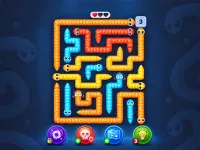
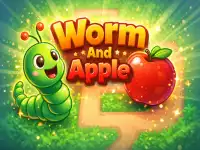
Get ready for a colorful puzzle adventure like no other! SNACK & WARP is a game that will put your problem-solving skills to the test with its 67 levels of brain-teasing fun. Eat apples to grow, climb over obstacles, and balance across gaps to reach the exit. But be careful, as a blade apple can split your worm into two equal halves, requiring you to switch between them to hold a button or support a crate while the other worm explores.
How To Play SNACK & WARP
Move your worm using the arrow keys or swipe on mobile to navigate through the levels. Use the Q or 1 2 buttons to choose a worm, and tap it to select it. You can also undo mistakes freely to try again. The goal is to collect all the apples and meet the switch crate goals before guiding either worm to the purple exit.
Controls and Features
Use the arrow keys (WASD) to move your worm, or swipe on mobile to navigate through the levels. You can also use the Q or 1 2 buttons to choose a worm, and tap it to select it. The Z key is used to undo mistakes, and the R key to restart the game. The Esc key opens the menu, where you can collect all the apples and meet the switch crate goals.
Tips
Plan your bites carefully, saving room to turn and collect every apple before reaching the exit. Experiment with different solutions to earn three stars. Don't worry about the timer, as you can take your time and try again.
FAQ
What happens if my worm splits into two halves?
When a blade apple splits your worm into two equal halves, you can switch between them to hold a button or support a crate while the other worm explores. This adds an extra layer of challenge to the game, requiring you to think carefully about how to navigate the levels.
How do I collect all the apples in each level?
To collect all the apples in each level, use the arrow keys or swipe on mobile to move your worm into position. Use the Q or 1 2 buttons to choose a worm, and tap it to select it. You can also use the Z key to undo mistakes and try again if you need to.
Can I undo mistakes in the game?
Yes, you can undo mistakes freely in the game. Use the Z key to try again and see if you can find a better solution to the level. This feature makes it easy to experiment with different approaches and find the best solution.
How many levels are in SNACK & WARP?
SNACK & WARP has 67 levels of increasing difficulty, each with its own unique challenges and obstacles. Use the arrow keys or swipe on mobile to navigate through the levels, and collect all the apples to earn three stars.
About this game
- Supported devices
- Desktop
- Genre
- Puzzles
- Release date
- 16 September 2026
- Latest update
- 16 September 2026
- Rating
- No ratings yet
Cool Information & Statistics
Added on September 16, 2026, SNACK & WARP has been played 0 times so far. It is still waiting for its first player rating. You control a worm that must eat apples to grow, navigate obstacles, and find clever solutions to reach the exit in 67 levels of colorful puzzle adventure. Continue exploring at Onlinegames.com.es with fresh additions from New Games, highlighted catalog picks in Best Games, and maintained titles listed under Updated Games.