 onlinegames.com.es

Popular Games
Last Played


X-Plane Flight Sim Simulator
4 plays



















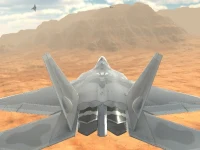











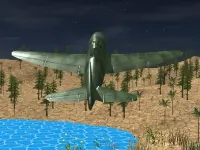



X-Plane Flight Sim Simulator
X-Plane Flight Sim Simulator is a realistic flight simulator that lets you experience the thrill of flying without leaving the ground. With authentic controls and detailed physics, you'll feel like a real pilot. The game offers a range of features, including emergency mode, weather hazards, and a realistic piloting experience.
How To Play X-Plane Flight Sim Simulator
Master the controls of your aircraft by selecting the right plane and adjusting the basic flight controls. Take off and navigate to the landing zone while avoiding obstacles and managing air traffic.
Controls and Features
Simulation is at the heart of this game, with realistic physics and controls that mimic real-world flight dynamics. Use arrow keys or WASD for steering, spacebar to accelerate, and the mouse for camera control. The throttle involves keys F and G, and landing gear is Q.
Tips
Remember to keep your eyes open and slow down your speed when the engine roars and the physics feel sketchy. This will help you manage the controls and stay on track.
FAQ
What are the controls?
Arrow keys or WASD for steering, spacebar for acceleration, mouse for camera, F and G for throttle, Q for landing gear.
What is the objective?
Navigate to the landing zone while avoiding weather hazards and managing air traffic.
Is there an emergency mode?
Yes, the game has an emergency mode.
What is the main mechanic?
The main mechanic is using physics to fly and land the aircraft.
X-Plane Flight Sim Simulator: A Realistic Flight Experience
Get ready to take to the skies with in X-Plane Flight Sim Simulator, a game that simulates the thrill of flying with realistic controls and detailed physics. Master the basics by selecting the right and adjusting the flight controls. Then, take off and navigate to the landing zone while avoiding obstacles and managing air traffic. Plane
About this game
- Supported devices
- Desktop
- Genre
- Shooting Games
- Release date
- 18 March 2024
- Latest update
- 18 March 2024
- Rating
- No ratings yet